How I Fixed OpenClaw's "Chat Only" Problem (And Why It Keeps Happening)
When OpenClaw suddenly stopped executing commands and only gave me instructions to run manually, I spent an hour debugging what turned out to be a one-line config issue.

The moment I realized something was wrong
I had just asked OpenClaw to create a simple config file. Instead of doing it, the agent responded with:
“You can create this file by running:
echo 'content' > config.json”
Wait. That’s not how this works. I’ve been using OpenClaw for weeks—it’s supposed to just do these things. Read files, execute commands, write code. But right now, it was acting like a chatbot with no hands.
Every request got the same treatment:
- “Create a test file” → “You can run
touch test.txt…” - “Read my package.json” → “You can view it with
cat package.json…” - “Check disk space” → “Try running
df -h…”
The conversational layer worked. The execution layer was gone.
What I checked first (and why it didn’t help)
My first thought: gateway is down. So I ran:
openclaw gateway statusOutput: running. Okay, not that.
Next thought: Discord connection issue? But messages were flowing fine. I could chat, get responses, even have it analyze code I pasted. The problem wasn’t connectivity—it was capability.
I restarted the gateway anyway (you know, the universal fix):
openclaw gateway restartNo change. Still chat-only.
The actual root cause
After about 30 minutes of poking around, I found it. Running:
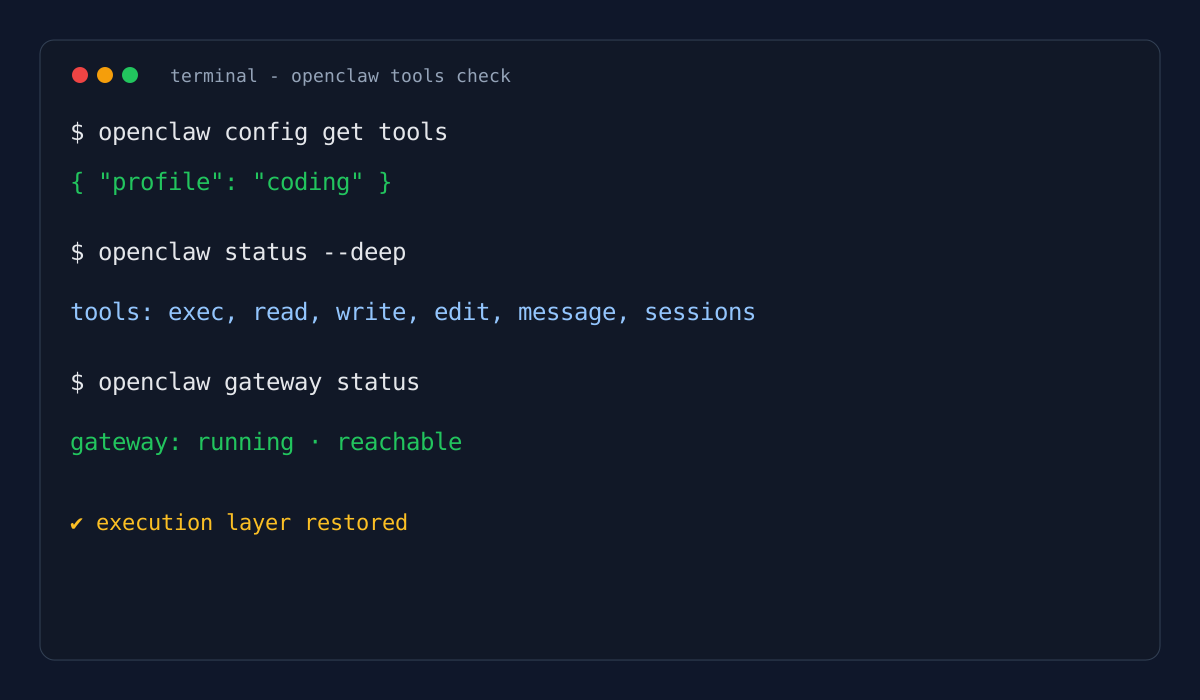
openclaw config get toolsReturned:
{
  "profile": "messaging",
  "deny": []
}
Profile was set to messaging, not coding.
Here’s the thing: the messaging profile is intentionally stripped down. It gives the agent chat abilities, session management, and… that’s basically it. No exec. No read. No write. It’s designed for environments where you want an AI assistant that can’t touch your filesystem—think customer support bots or shared chat interfaces.
But I was in my development environment. I needed the full tool suite.
The one-line fix
Once I knew the problem, the fix was trivial:
openclaw config set tools.profile coding
openclaw gateway restart
Then I verified it actually worked:
openclaw status --deepLooking for this in the output:
tools.profile: coding✓tools.available: ["exec", "read", "write", ...]✓
Finally, I tested the full chain:
# Create
openclaw do "create a file called test.txt with hello world"

# Read
openclaw do "read test.txt"

# Execute
openclaw do "run pwd"
All three worked. The agent was back to being an agent, not a passive assistant.
Why this happens (and keeps happening)
I’ve hit this twice now. Both times after updates or reinstalls. Here’s the pattern I’ve noticed:
Scenario 1: Post-update reset
An OpenClaw update or reinstall sometimes resets config defaults. If your environment variables or config files get regenerated, tools.profile may revert to messaging as a safe default.
Scenario 2: Multi-environment confusion I run OpenClaw in a few different contexts—local dev, a remote VM, and occasionally a container. Each has its own state directory. It’s easy to think you’re in your “coding” environment when you’re actually connected to a “messaging” one.
Scenario 3: Team onboarding drift When onboarding new team members, if someone copies a config template meant for chat-only use cases, they end up with a crippled setup and no idea why.
My diagnostic checklist (now)
When OpenClaw “only chats” now, I run this in order:
# 1. Check the profile
openclaw config get tools

# 2. Verify gateway is actually reachable
openclaw gateway status

# 3. Deep status check
openclaw status --deep

# 4. Check for agent-level overrides
openclaw config get agents
What I’m looking for:
tools.profileshould becoding(or at least notmessaging)- Gateway should show
reachable: true - Tool list should include
exec,read,write
Prevention: what I do now
Startup check script I added this to my shell profile:
# OpenClaw sanity check
if command -v openclaw &> /dev/null; then
  PROFILE=$(openclaw config get tools.profile 2>/dev/null | tr -d '"')
  if [ "$PROFILE" = "messaging" ]; then
    echo "⚠️  WARNING: OpenClaw profile is 'messaging'—tools disabled"
  fi
fi
Explicit state-dir awareness When switching environments, I now always specify:
openclaw --state-dir ~/.openclaw/dev statusThis prevents the “I thought I was in production but I’m actually in staging” confusion.
Team onboarding doc New team members get this command block:
# After install, verify you're in coding mode
openclaw config set tools.profile coding
openclaw gateway restart
openclaw status --deep | grep -A 5 "tools"
The bigger lesson
This isn’t really about OpenClaw. It’s about how modern AI agents have two distinct layers: the conversational brain (LLM) and the execution environment (tools). When troubleshooting, you have to figure out which layer failed.
- If responses are nonsense → LLM issue (model, context, prompt)
- If responses are sensible but passive → Tool issue (profile, permissions, gateway)
“Chat only” mode is almost always the latter. The agent understands what you want; it just doesn’t have permission to act.
Quick reference
| Symptom | Check | Fix |
|---|---|---|
| Agent suggests commands but won’t run them | openclaw config get tools | openclaw config set tools.profile coding |
| Gateway unreachable | openclaw gateway status | openclaw gateway restart |
| Commands fail with permission errors | openclaw status --deep | Check tools.deny list |
| Works for me, fails for teammate | Compare openclaw config outputs | Align profile settings |
Still stuck? Check OpenClaw Gateway Unreachable if the issue is connectivity rather than capability.